遙控器一直沒電怎麼辦?用可重複充電 Type-C 電池把換電池痛點一次解掉
你是不是也有這種情境:追劇正要按遙控器,結果電量警告;或家裡備品散落各處,找不到可用的那顆。⭐ 這款 Type-C 充電電池(1盒四顆、附 1 對 4 充電線與收納盒)主打可重複充電與充電指示燈,讓「換電池」從被動變主動。
English Version
Remote Keeps Dying? Fix the Battery Pain with USB Type-C Rechargeable Batteries
Remote controls and toys running out of power is frustrating. This article targets the real pain points—buying too often, losing track of charged batteries, and choosing the wrong specs—and shows how USB Type-C rechargeable batteries solve them. ✅
Pain Point 1: Stop repeatedly buying disposable batteries
The product claims up to 1200 recharge cycles. For frequently used devices like remotes and toys, rechargeable batteries can reduce repeat purchases and planning stress.
Pain Point 2: Know when batteries are ready (LED indicator + storage)
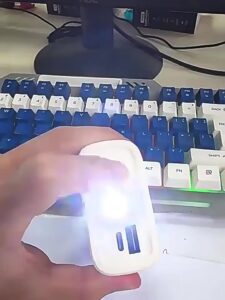
Green blinking means charging in progress, and solid green means fully charged. Combined with the included storage box, you can organize “ready” vs “to charge” batteries.
Pain Point 3: Avoid spec mismatch (1.5V vs 3.7V)
3rd/4th sizes are 1.5V, while 14500 is 3.7V. Matching your device’s AA/AAA (1.5V) requirement to the right size helps prevent the “why does it die so fast?” experience.
🛒 你可能會需要
Amazon 推薦
 EBL AA 2300mAh (8 入) 和 AAA 1100mAh (8 入) 鎳氫充電電池和AA AAA 充電電池充電器,附 2 個 USB 充電埠
 Energizer 可充電通用可充電三號電池(16 包),雙 A 可充電電池
 Amazon Basics 8 入可充電鎳氫電池 (4 顆 AA 和 4 顆 AAA),附 4 槽電池充電器,低自放電,預先充電,A 型(美國)插頭,黑色