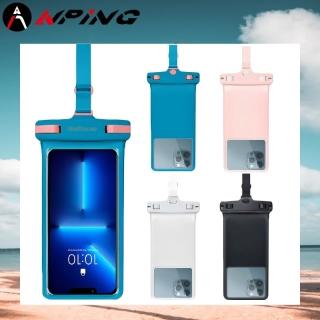
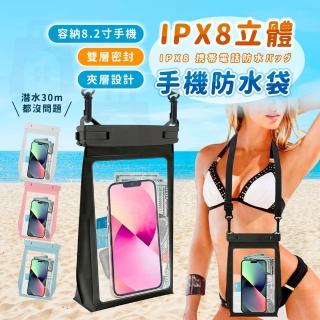
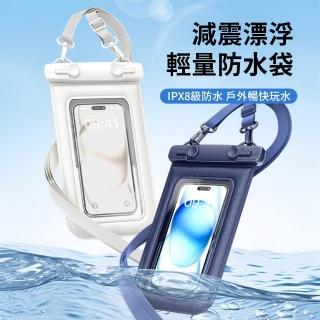
手機防水袋使用教學:全封閉密封+觸屏拍照的正確打包流程
如果你曾經在玩水後發現袋內有些水氣,通常不是產品「突然失效」,而是密封前後的流程沒有完全到位。📌 這篇我用「你真的會做的動作」來整理:把手機放進全封閉密封的手機防水袋,並確保觸屏拍照操作順手。
先確認三件事:手機狀態、袋口乾燥、密封位置
在你開始封袋前,先做簡單檢查:
- 手機表面乾燥:避免水滴或汗水黏在袋口附近。
- 袋口區域保持乾爽:密封邊緣越乾,越能降低水氣進入的機率。
- 手機放置對齊:讓袋內空間不要過度擠壓,觸屏區域更容易維持順暢。
一步一步:全封閉密封怎麼做才更穩
不同防水袋的密封方式會有差異,但核心原理一致:把水與水氣隔絕在袋外。你可以把它想成「把空氣與水分的路徑封起來」,密封做得越完整,路徑就越少。
- 打開袋口,確認袋口沒有髒污或水滴。
- 放入手機,讓觸屏區域對準你要操作的位置。
- 排出多餘空氣(若你的袋型允許):減少袋內空間的晃動與膜面貼合不良。
- 完成全封閉密封:依產品設計把袋口確實封合,重點在「邊緣是否完整貼合」。
- 封好後輕拉檢查:確認沒有鬆動,再把斜挎帶調整到你舒服的位置。
觸屏拍照怎麼按才不容易失靈?
觸屏拍照的順暢度,常常跟「膜面狀態」有關。簡單來說:你按下去的力道需要被膜面傳遞到手機感測器。若膜面有水珠、起霧或貼合不均,觸控就可能變得不精準。
你可以在下水前先做一次「點按+滑動」測試;如果你發現反應慢,通常代表膜面狀態或密封貼合需要再確認。✅
帶有依據感的使用習慣:為什麼要先測試再下水
有些使用者會提到:在乾燥環境先確認觸控與拍照功能,能避免下水後才發現按不動或對焦不順。這其實符合常識——因為你在乾燥時更容易觀察膜面是否平整、觸控是否正常。
用完後怎麼處理?避免水氣殘留
玩完後先擦拭外部水滴,再打開檢查袋內狀態。若你發現袋內有潮氣,建議放在通風處自然乾燥。這樣做能降低水氣殘留造成的不確定性。
FAQ
1. 我需要把手機關機嗎?
多數情況不必,但你可以依手機與使用情境調整。若你擔心誤觸或耗電,先設定拍照模式或鎖定螢幕會更省心。
2. 密封後還能打開嗎?
可以,但每次打開都建議重新檢查袋口乾燥與密封狀態,避免重複使用時邊緣沾水。
3. 斜挎會影響密封嗎?
只要你調整到合適長度、避免袋口被拉扯到鬆動,斜挎反而能讓你操作更穩定。
如果你有類似需求,可以把這類商品的規格與評價一起看
特別是你手機的尺寸、觸屏區域的大小、以及密封方式是否符合你的習慣。把流程做對,你會更容易得到「拍得清楚、也更安心」的體驗。⭐
💡 原理小知識
許多日常用品其實背後都有基本的運作邏輯,例如透過密封、隔離或結構設計來提升效率。可以想像成把原本分散的影響因素集中管理,因此在實際使用上會更穩定。
English Version
How to Use a Waterproof Phone Pouch: A Practical Guide to Fully Sealed Packing & Touchscreen Photo Control
Many people focus on the pouch’s waterproof claim, but the real difference comes from the packing routine—especially sealing preparation and post-seal checks. This guide walks you through a simple, step-by-step process for a fully sealed, touchscreen photo-friendly waterproof phone pouch, with tips to keep touch control responsive. 💡
1) Pre-checks that matter (dryness + alignment)
Before sealing, keep the phone and the pouch opening area dry, and place the phone so the touchscreen area aligns properly. These small steps reduce the chance of water vapor finding an entry path.
2) Fully sealed packing: the core idea
Regardless of the exact sealing style, the principle is the same: isolate the phone from water and moisture by sealing the edges completely. Think of it like closing off routes for air and moisture.
3) Touchscreen photo control: why film condition affects taps
Touch performance depends on how the protective film transmits finger input. If the film has water droplets or isn’t well pressed, taps may feel less accurate. A quick dry test (tap + swipe) helps you catch issues early.
4) After-use routine
After your trip, wipe the outside and let the pouch dry in a ventilated area. Checking the inside condition reduces uncertainty and helps keep your next use reliable.