從小數點顯示看懂你的 SuperVOOC:OPPO 240W 充電器+快充線的使用與檢查教學
💡 很多人第一次用高功率快充時會遇到同一個疑問:明明插上了,為什麼有時候看起來不像快充?其實你可以用「觀察」把問題縮小,像是做日常檢查一樣。
教學目標:你要確認的其實只有 3 件事
- 充電器與線材是否能讓手機進入對應 SuperVOOC 流程
- 充電狀態是否清楚顯示(例如小數點資訊)
- 充電過程是否因為溫度或電量狀態而降速
簡單來說,手機在不同電量區間與溫度狀態下,會採取不同的充電策略。當電量較低、溫度合適時,系統更願意提供更高功率;但當電量接近上限或溫度偏高時,為了保護電池與穩定性,功率可能會逐步調整。你把它想成「汽車加速與保護模式」:不是壞掉,而是系統在做安全管理。
一步步檢查:用這組 OPPO 240W 充電組合確認是否正常
Step 1:確認線材是否為對應快充線
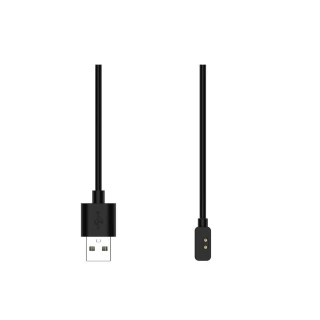
快充線的相容性會影響協議判斷。若你曾用過不同線材導致速度不穩,這次就用同一條對應的 OPPO 快充線,觀察狀態是否更一致。
Step 2:看「小數點顯示」是否出現對應狀態
當手機進入對應的 SuperVOOC 快充流程時,狀態顯示通常會更清楚。你可以把它當作「是否進入快車道」的指標:如果顯示不一致,先從線材與插頭接觸檢查。
Step 3:注意充電環境與手機溫度
有些人邊充邊玩、或把手機放在容易悶熱的位置,會讓系統更快啟動降速策略。建議充電時保持通風,避免把手機直接壓在枕頭或被子上。
帶有依據感的判斷:你可以怎麼記錄,讓問題更快定位?
| 觀察點 | 你看到的狀況 | 可能原因 |
|---|---|---|
| 小數點顯示 | 出現但不穩 | 可能與插頭接觸、線材狀態或溫度有關 |
| 充電速度 | 電量越高越慢 | 正常的電池保護策略,屬於充電曲線調整 |
| 發熱感 | 偏熱 | 可能是環境悶熱或邊充邊用造成散熱壓力 |
FAQ:新手最常遇到的 4 個問題
1) 我看到顯示但速度還是慢,怎麼辦?
先確認手機電量區間與溫度。若電量已接近高段,系統本來就會逐步降速;你可以改在電量較低時觀察一次。
2) 線材看起來都一樣,為什麼會差?
外觀相似不代表電氣規格一致。快充線的相容性與品質會影響協議與供電穩定性。
3) 充電時手機溫熱正常嗎?
在快充情境下,溫熱屬於常見現象;但若你覺得明顯燙手,建議先停止邊充邊玩並改善通風。
4) 我需要特別設定什麼嗎?
多數情況只要使用對應充電器與快充線,系統會自動依狀態調整。你能做的就是保持良好接觸與通風環境。
如果你也想更快判斷自己是否真的進入 SuperVOOC,可以把這篇當作日常檢查流程
你可以再進一步看看同類型的充電組合規格與使用者回饋,特別留意「線材相容性」與「充電狀態顯示」這兩個面向,通常能避免踩到不匹配的坑。
💡 原理小知識
許多日常用品其實背後都有基本的運作邏輯,例如透過密封、隔離或結構設計來提升效率。可以想像成把原本分散的影響因素集中管理,因此在實際使用上會更穩定。
English Version
Understand SuperVOOC from the “decimal” status: a practical guide to using the OPPO 240W charger set
Fast charging isn’t only about charger wattage. It depends on whether the phone enters the correct SuperVOOC mode, whether the cable supports the needed fast-charge negotiation, and how temperature/electricity conditions affect charging strategy. This guide shows how to check status and troubleshoot common situations with everyday observations.
What you really need to verify (3 things)
To confirm fast charging works as expected, focus on: (1) whether the phone enters the intended SuperVOOC flow, (2) whether the status display (the “decimal” indicator) appears consistently, and (3) whether charging speed changes due to temperature or battery level.
Why fast charging can look inconsistent
In simple terms, the phone adjusts charging power based on battery level and temperature. When the battery is lower and conditions are favorable, the system can deliver higher power. As the battery approaches higher levels or temperature rises, it reduces power for protection—so it may feel slower even though everything is working normally.
Step-by-step checks with this OPPO 240W set
Use the compatible OPPO fast-charging cable, observe the SuperVOOC “decimal” status, and keep the charging environment well-ventilated. If the status is unstable, check connection contact and cable condition first.
A simple observation table to narrow down causes
Track what you see: whether the status display is stable, how speed changes across battery levels, and whether the device feels unusually hot. These clues help you distinguish normal charging curves from connection or thermal issues.