English Version
Photo Development & Printing Guide: Turn Memories into Collectible Prints (from Polaroid to Postcards)
Want your favorite phone photos to become real, giftable prints? This guide covers key decisions for photo development/printing—size, file preparation, cropping, and color—so your Polaroid reprints, photo cards, ID photos, and postcards look closer to what you imagined. 📌
Why “photo development/printing” feels different from just sharing online
Online images can hide issues like low resolution, heavy compression, and awkward cropping. When you print, those details become visible—so choosing the right workflow and preparing files properly is the fastest way to get a satisfying result.
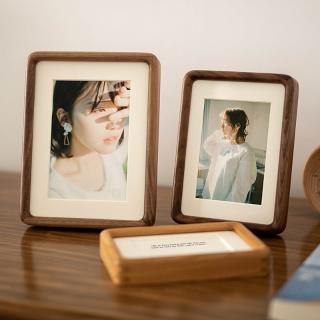
Best use cases: Polaroid reprints, photo cards, ID photos, postcards, and photo walls
Different print types emphasize different priorities: Polaroid reprints focus on border/texture, photo cards and photo walls require consistent sizing and cropping, ID photos need correct proportion and clarity, and postcards highlight color and readability.
Quick checklist before you send your photos
Confirm the intended size, use higher-resolution originals when possible, review cropping (especially faces and text), and keep a consistent color style for a cohesive photo wall.
FAQ highlights
Screenshots may reduce sharpness. Polaroid reprints depend on clear source files. A photo wall looks better when you unify theme and tone. For ID photos, double-check head placement and background/cropping requirements.